Shopping guide
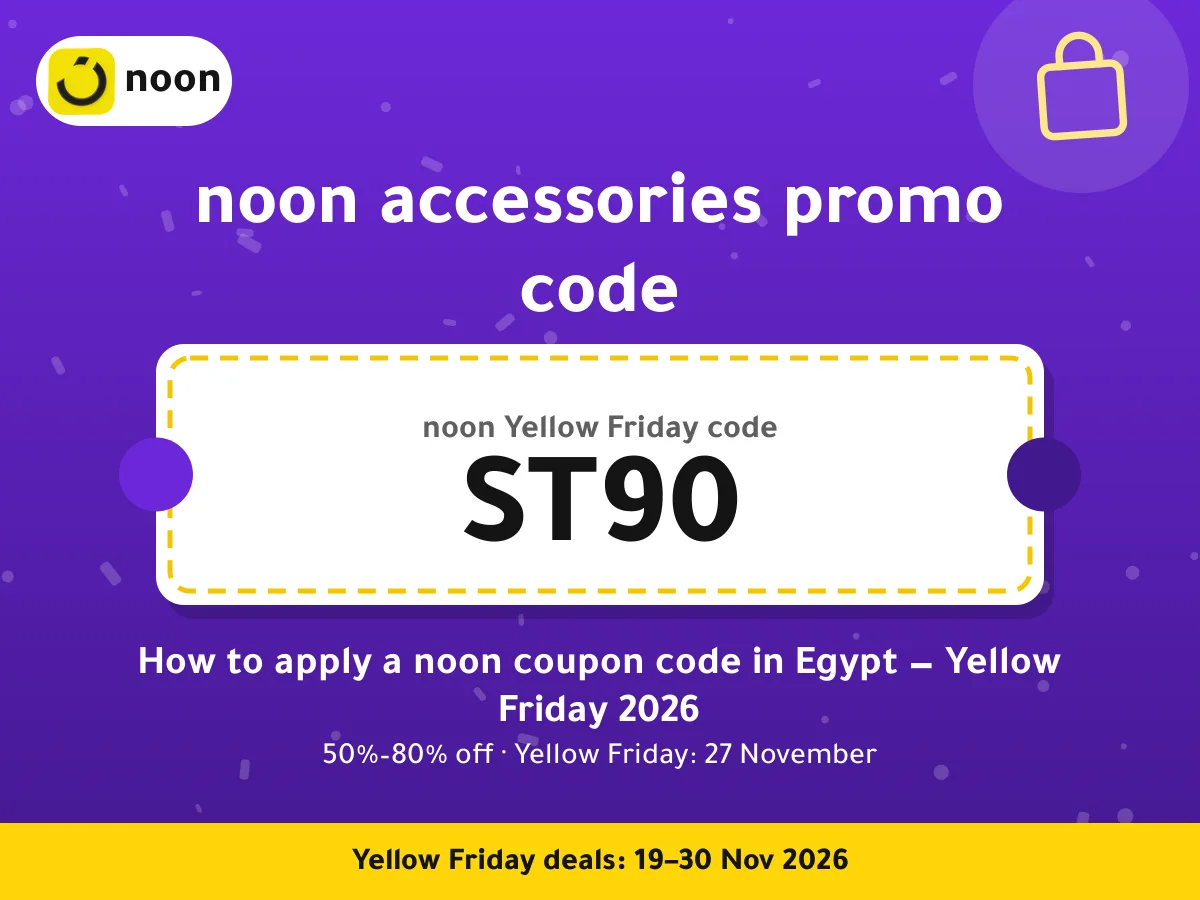
How to apply a noon coupon code in Egypt — Yellow Friday 2026
To use a noon Egypt code: identify your section (mobile ST89, electronics ST92, home ST93, fashion ST95, or general ST90), add the product to the cart, paste the code in the coupon field and tap Apply. Read noon's message and check the savings in EGP before confirming. Code Active at the last recorded check.
Last updated: · Yellow Friday Offers editorial team
Yellow Friday 2026 dates
Yellow Friday deals are live, 7 days left
- Deals start:
- Yellow Friday:
- Deals end:
- Discounts:
- 50% to 80% on eligible products
Source: noon — official email newsletter, season 2026. Add the dates to your calendar
Step 1: Pick the right code for your section
noon Egypt uses five codes split by product category:
| Code | Sections covered |
|---|---|
| ST89 | Mobile phones, smartwatches, headphones, tablets and phone accessories |
| ST92 | TVs, laptops, gaming and general electronics |
| ST93 | Home appliances, kitchen, vacuums and furniture |
| ST95 | Women's and men's fashion, kids' fashion, shoes and bags, eyewear, watches and jewellery |
| ST90 | Perfumes, makeup, skin and hair care, men's grooming, health, baby and kids, toys, camping, sports — and products not covered by a section code |
If you are not sure which section your product belongs to, try ST90 (general). If it is not accepted, try ST85 as a backup.
Step 2: Enter the code in the cart
- Set Egypt as your delivery country, add products to the noon cart and open the Cart page.
- Type the code (e.g.
ST89for mobile) in the coupon code field and click Apply. - Read noon's response: an acceptance message means the code is applied; a rejection means the product may not be eligible or the code does not match the section.
- Check the order summary — verify the savings shown in EGP — then continue with Secure Checkout.
Steps based on noon's help centre (accessed 24 November 2026).
Step 3: What to check before you pay
- Acceptance message: after clicking Apply, noon shows whether the code was accepted or rejected. Read the message in full.
- Eligible products: not every product in the basket necessarily qualifies. noon's help centre says eligibility details appear on the product or campaign page (noon's promotion rules).
- Final total: the amount shown in the order summary after Apply is what you will pay. Check it in EGP.
Example: buying a phone on noon Egypt
If you add a phone worth EGP 15,000 and the Yellow Friday discount is 30%, the price becomes EGP 10,500. Enter ST89 in the coupon field and click Apply, then read the savings shown in EGP before confirming payment.
The cashback rates and caps published for Saudi Arabia and the UAE do not automatically apply to Egypt. The savings noon shows in the order summary in EGP are the reference.
What if the code is not accepted?
- Make sure you selected Egypt as your delivery country.
- Try the right section code (ST89 for mobile, ST92 for electronics, etc.). If it still fails, try ST90 or ST85.
- Check that the product is eligible — not all products qualify for every code.
- noon's help centre says most offers cannot be combined with other codes unless their terms say so (promotion rules).
For more troubleshooting: How to use a noon coupon code and fix application problems.
Related pages
Frequently asked questions
Which code should I use at noon Egypt?
Pick the section code: ST89 for mobile, ST92 for electronics, ST93 for home appliances, ST95 for fashion. For everything else use ST90 (general). If it is not accepted, try ST85.
Source: Site editorial team
Where do I enter the code on noon?
On the Cart page you will find a coupon code field. Type the code there and click Apply.
Source: help.noon.com
What do I do if noon rejects the code?
Make sure you selected Egypt as your delivery country, try another code from this site, and check that the product is eligible. More solutions: /en/how-to-use-noon-coupons/
Source: Site editorial team
When do the Yellow Friday 2026 deals end?
noon's Yellow Friday deals start on 19 November 2026 and run until 30 November 2026; Yellow Friday itself is 27 November 2026.
An independent site, not affiliated with noon. We may earn a commission when you buy through some links at no extra cost to you. “Active” means the code was tried at noon checkout, and the “Last verified” badge on the card carries the date and time of that test; the final result depends on your account and noon’s terms at checkout.